
If you are working out how to get google reviews for your shop, clinic or office, the hard part is rarely the happy customers. It is the ask: nobody remembers to make it, and nobody is sure what Google allows. This guide covers the rules, the review link and QR code, timing, a team routine and replies, written for Chennai business owners.
Why do reviews matter for local visibility and trust?
Your google business reviews are public, so every new customer reads them before calling or visiting. Owners who still search for google my business reviews mean the same listing, now called Business Profile.
- Ranking: Google's local ranking help page says reviews count toward prominence, and that more reviews and positive ratings can help your local ranking.
- Standing out: the same page says positive reviews and helpful replies can help your business stand out.
- Trust: Google's review help page notes that a mix of positive and negative feedback can seem more trustworthy than a perfect run of five stars.
- No magic number: Google gives no target score or review count, so ignore anyone who sells you one.
What does Google allow when you ask for reviews?
You may ask. You may not buy, steer or filter. Google's contributor policy for Maps sets the limits, and breaking them gets reviews removed.
- Allowed: asking customers for genuine reviews, as long as you do not try to influence the rating or the wording.
- Not allowed: payment, discounts, free goods or any other incentive for a review, or for changing or removing a negative one.
- No filtering: the policy bars selectively soliciting positive reviews or discouraging negative ones, so ask every customer you serve.
- No pressure: do not push customers to post while they are on your premises, and do not set staff quotas for review numbers.
- Conflicts of interest: reviews linked to employment, family or similar ties can be removed, so staff and relatives should not post.
How do you create a Google review link and QR code?
Google generates both for you. Its help page on review links and QR codes says the QR code can only be made on a computer browser, not on a phone.
- Open your Business Profile on a laptop or desktop.
- Go to the reviews section and select Read reviews.
- Choose Get more reviews, shown as the share icon.
- Copy the link, or right-click the QR code and save the image.
- Open the link on a phone yourself and check the google review mobile screen before printing anything.
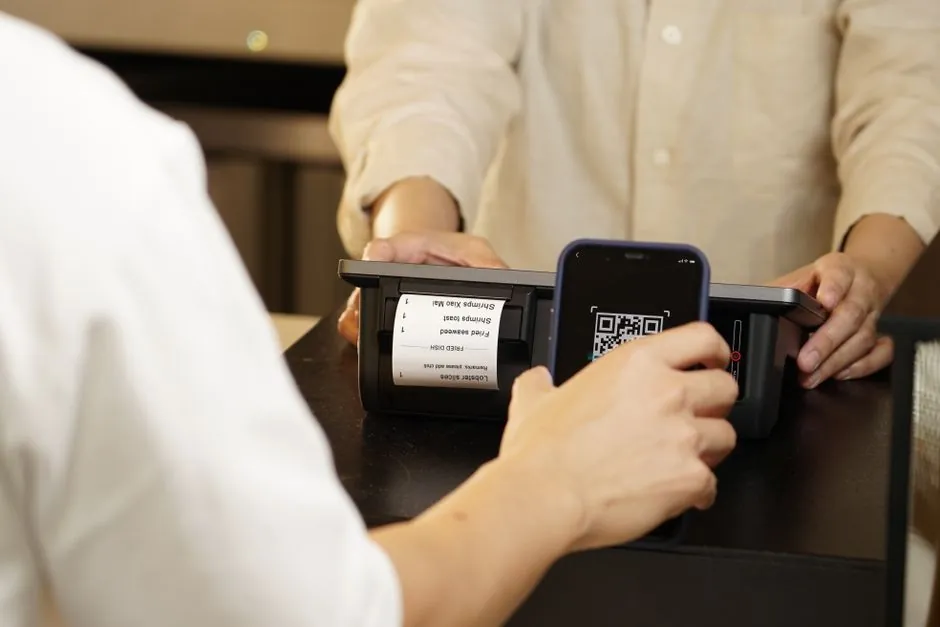
Google suggests placing the link on receipts, in thank-you emails or chats, or as a printed QR code in your store. It also lists WhatsApp and email as ways to send the request.
What do customers do after they open the link?
Knowing the customer's side helps you write a better request. Customers must be signed in to a Google Account to post, and Google says they can create one with a non-Gmail address.
- Unfamiliar flow: some people search how to give a google review before they tap, so keep your message to one line and one link.
- Stars first: a rating is enough, and customers who want to explain can add words. Do not script the wording, because the policy bars requesting specific content.
- Phone first: many will tap your link on a phone, so a short message that opens straight to the box works best.
- Fallback: if someone asks how to add a google review and cannot find the box, resend the link rather than explaining menus.

When and where should you ask for a review?
Ask soon after the customer has seen the result: a delivered order, a finished treatment or a completed job. One personal request works better than a mass message, and the table shows which channel suits which business.
| Channel | Works well for | Watch out for |
|---|---|---|
| WhatsApp message | Clinics, salons, service visits | One message, no repeat nagging |
| Printed QR code | Shops, cafes, clinics | Invite, never pressure at the counter |
| Invoice or receipt line | Retail, repairs, deliveries | Link must be short and tested |
| Email thank-you | Corporate and online orders | Send within a day or two |
| In person | Any business | Ask everyone, not only happy customers |
How do you make asking a routine for your team?
Reviews dry up when asking depends on memory. Give one person ownership and attach the request to a step your team already performs.
- Name one owner, such as the front-desk lead, to send links and check the profile weekly.
- Tie the ask to an existing step: billing, delivery confirmation or a follow-up call.
- Save a short request in Tamil and English so staff do not improvise.
- Ask every customer, because Google bars asking only the pleased ones.
- Skip individual targets, since the policy bars requiring staff to meet review numbers.
- Record the review count and average rating once a month in a simple sheet to see the trend.

How should you reply to reviews, including negative ones?
Replies show future customers how you treat people. Google's help page on replying to reviews says you must verify your business first, and that replies are checked before they appear.
- Positive: thank the customer in a line and mention one detail of the visit, not a copied template.
- Negative: acknowledge the problem, give a phone number or email, and settle the facts offline instead of arguing in public.
- No trades: never offer anything in return for a changed or removed review, because the policy prohibits it.
- Flagging: you can flag a review you believe breaks Google's content policies, but an unfair opinion from a real customer is not a violation by itself.
- Timing: Google says replies usually take up to 10 minutes to review but can take up to 30 days, and reviewers are notified when you reply.
What did we see on a real Chennai clinic profile?
We maintain the Google Business Profile for Lotus Polyclinic in Ponmar, Chennai. The figures below come from the monthly reports behind our Lotus Polyclinic case study, covering May to August 2026.
- Rating: the Google rating rose from 4.5 to 4.95 after the profile was rebuilt, following a loss of access in June and July.
- Calls: calls from Google went from 52 in June to 72 in July and 84 in August.
- Profile views: 149 in June, 227 in July and 323 in August.
- On the website: live Google reviews are shown on the clinic's site, and if you want the same, ask your developer whether the google reviews api or a ready embed fits your setup.
- Caution: the report does not credit one tactic for the rating, so we do not claim a review campaign alone produced it.
Should you hire a service provider to manage this?
You can run everything above yourself. Outside help makes sense when you have several locations or nobody to own the routine, and the questions below keep you safe.
- Ownership: the profile must sit in your own Google account, with you as owner.
- Method: ask exactly how requests are sent, and walk away from anyone promising a fixed count, offering rewards or posting on your behalf.
- Reporting: expect monthly review count, rating, replies and calls, not a single total.
- Scope in writing: a google reviews service provider quote should state what the fee covers and what it does not.
Our SEO company in Chennai page lists review management and local reputation signals among its local SEO work. On our pricing page for digital marketing cost in Chennai, Google Business Profile sits inside the Website + SEO plan at Rs 75,000 a month plus a one-time Rs 75,000 build, fees + GST. That is a website and SEO plan, and the page lists no separate price for review collection.
Frequently asked questions
Can I ask every customer for a Google review?
Yes. Asking is allowed as long as you want genuine reviews and offer no incentive. Google's policy bars selectively soliciting positive reviews, so send the request to every customer you serve, not only the ones who looked pleased.
How to put a review on Google without a Gmail address?
Customers must be signed in to a Google Account, but Google says they can create one with a non-Gmail email address. Once signed in, they open your review link, pick a star rating and add a few words if they wish.
How to add a review in Google if the QR code will not scan?
Send the review link by WhatsApp or email instead. Google lets you copy the same link from the Get more reviews option, so keep it saved on your phone. Test both the link and the printed code yourself before you display them.
How to review on Google if a customer has never done it before?
Keep the request to one line and one link. The customer opens the link, signs in, chooses a rating and posts. Do not stand over them, because Google's policy says merchants should not pressure customers to review while on the premises.
Can employees or family members post reviews for our business?
They should not. Google's contributor policy removes reviews based on a conflict of interest, and it names current or former employment and family relationships as examples. Ask only real customers, and keep staff reviews off your profile.
Can I remove a bad Google review?
You can flag a review that you believe breaks Google's content policies, but Google's help page does not promise removal. For an honest but unfair opinion, reply politely, offer to resolve it offline and never offer anything in exchange for a changed review.
How many reviews do I need to rank higher?
Google gives no target number. Its help page says more reviews and positive ratings can help local ranking, along with relevance and distance. Aim for a steady flow of genuine reviews and a reply to each, rather than a one-time burst.
Get a free Report Zero audit — see exactly what's missing before you commit a rupee to a retainer.
Get Free Report Zero Audit →