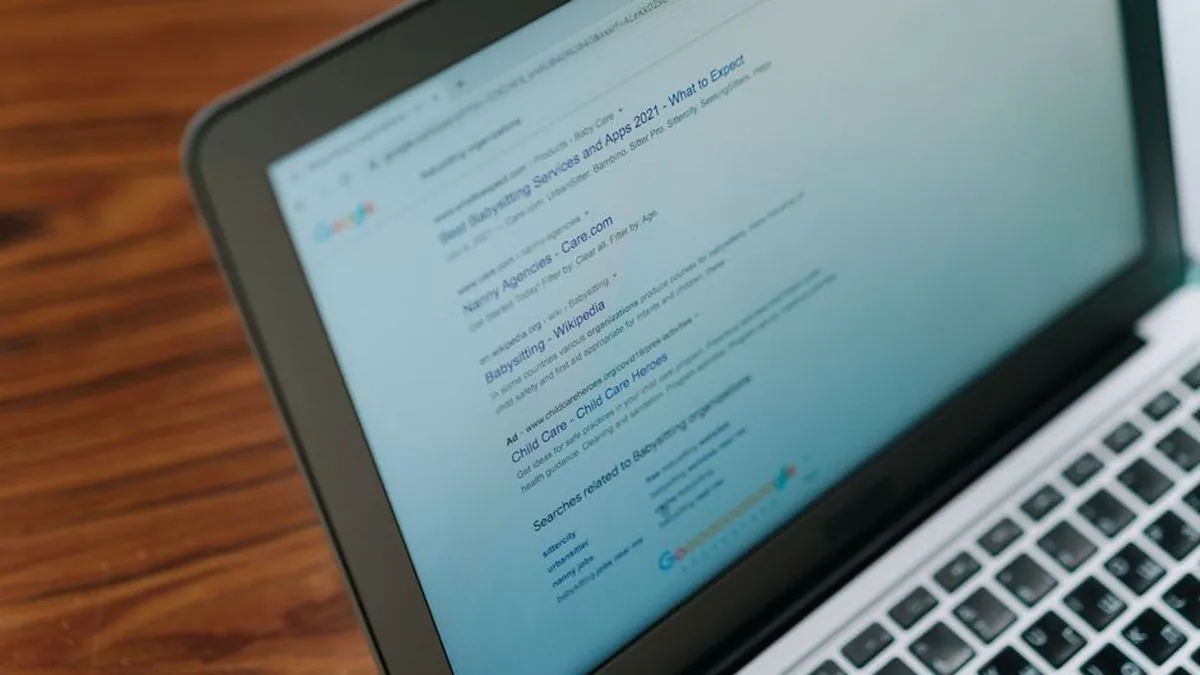
Your traffic has been flat for months. Nobody on the team can say why, and every new idea is a guess. That is the moment an SEO audit earns its place: a structured review that shows what stops Google from finding, understanding and ranking your pages, and which fix to make first.
This guide explains how to do an SEO audit yourself, in a clear order, with an SEO audit checklist and a table that sorts the findings into a fix list. It was written by Deepak TMS at Usher Media for US site owners and marketers.

What does an SEO audit check?
An audit looks at the whole path from a search to a sale. It is not one score from one tool. Each area below answers a different question, so you can see where the real problem sits.
- Crawling and indexing: can Google reach your pages and choose the right version?
- Technical health: do pages load fast, work on phones and avoid errors?
- On-page content: does each page match what people search for?
- Links and authority: do other sites and your own pages point to the pages that matter?
- Results: which pages bring calls, forms and sales today?
Which kind of audit do you need?
The right size depends on your site and your question. A small local business rarely needs the same review as a large online store, and many sites need a quick check before a deep one.
| Audit type | What it covers | Best for |
|---|---|---|
| Quick check | Indexing, speed, titles | A first look at a small site |
| Technical audit | Crawling, speed, mobile, schema | Sites that stopped growing |
| Full audit | Technical, content, links, results | Planning a year of SEO work |
| Agency audit | Full audit plus a written plan | Owners who want a second opinion |
What should you set up before you start?
Good audits start with data, not opinions. Set up these four things first so every finding has a number beside it and you can tell later whether a fix worked.
- Google Search Console: verify your site to see clicks, impressions, average position and indexing reports.
- Analytics: confirm it records calls, form fills and sales, not just visits.
- A crawler or site checker: it lists every page, status code, title and link in one pass.
- A baseline sheet: write down today's clicks, impressions and leads before you change anything.
How do you check that Google can crawl and index your pages?
Crawling and indexing come first because nothing else matters if Google cannot reach a page. Check these basics before you touch content, and you may find the whole problem here.
- Robots.txt: Google says this file is used mainly to avoid overloading your site with requests and is not a way to keep a page out of Google. Use noindex or a password for that.
- Sitemap: Google's documentation says a sitemap does not guarantee that every item will be crawled and indexed, so use it to list the pages you want found.
- Status codes: fix broken pages, long redirect chains and pages that should redirect but do not.
- Duplicates: Google's duplicate URL guide names redirects and the rel canonical tag as strong signals and a sitemap as a weaker one.
What does a technical SEO audit look at?
This review checks whether the site is fast, stable and readable by machines. Speed gets the most attention, and Google gives clear targets for it.
- Largest Contentful Paint: the main content should load within the first 2.5 seconds.
- Interaction to Next Paint: pages should respond in less than 200 milliseconds.
- Cumulative Layout Shift: the layout should score less than 0.1, so nothing jumps while people read.
- Where to look: Google's Core Web Vitals page points to the Core Web Vitals report in Search Console.
- Also check: mobile layout, HTTPS and structured data that matches the visible page.

How do you review on-page content and search intent?
On-page checks ask whether each page deserves to rank for what it targets. Pages fail here when two pages chase one keyword, or when a page answers a different question than the searcher asked.
- Titles and headings: one clear H1, a unique title and a meta description that matches the page.
- Keyword map: give each page one main target and write it beside the URL in your sheet.
- Thin and duplicate pages: merge, expand or remove pages that add nothing new.
- Internal links: point related pages to your key service pages with descriptive anchor text.
- Search intent: compare your page with what ranks, and note what searchers expect to see.
How do you check links, authority and local signals?
Links tell Google which pages other sites trust. A website SEO audit should list who links to you, which pages receive those links and whether any came from spammy sources.
- Backlinks: note your best linking sites and any sudden drop or odd spike.
- Link targets: check that links point to live pages, not broken ones.
- Competitors: list the sites that link to rivals but not to you.
- Local profile: for service businesses, confirm your Google Business Profile name, hours and categories match your site.
How do you turn audit findings into a fix list?
Most audit guides stop at a long list of problems. A list nobody can rank gets ignored, so sort every finding by how much it blocks results and how hard it is to fix.
| Priority | Examples | Why |
|---|---|---|
| Fix first | Blocked pages, noindex errors, broken key pages | Pages cannot rank at all |
| Fix next | Slow mobile pages, duplicate pages, weak titles | These hold back pages that could rank |
| Fix later | Minor link cleanup, small content gaps | Smaller gains for the effort |
- Export every finding into one sheet with the page URL.
- Mark each as fix first, next or later using the table above.
- Give each fix an owner and a date.
- Fix the money pages, the ones that earn calls and sales, before the rest.
What does an SEO audit look like at Usher Media?
Every Usher Media engagement opens with Report Zero, a free audit of a business's digital presence. It reviews five areas: website and technical SEO, keyword opportunity, social media, competitors and an action plan. The audit typically takes one to two days.
- Usher Media's process page shows what Report Zero covers and a real cosmetic clinic example, where it found missing pages, slow performance and a weak ranking for its main search.
- The SEO company in USA page describes the audit step as a review of more than 150 technical and on-page factors.
- In a Melbourne mortgage brokerage case study, the team connected tracking in month two and fixed Core Web Vitals and schema. It recorded a first baseline of 623 impressions, 18 clicks and an average position of 10.3.
- Usher Media serves US businesses remotely from Chennai, India, and has no US office.
How often should you repeat an SEO audit?
An audit is a snapshot, so repeat it when something changes. A calendar rhythm keeps small problems from growing into traffic drops.
- Run a light check each quarter: indexing, speed and new errors.
- Run a full review once a year or before a big content plan.
- Repeat it after a redesign, a platform move or a sudden drop in clicks.
- Compare each result with your baseline sheet, not with memory.
Which mistakes make an audit useless?
Most weak audits fail in the same ways. Avoid these and your next audit will be more useful than most.
- Trusting one tool score without checking the page by hand.
- Fixing small issues first because they are easy.
- Skipping the baseline, then being unable to prove progress.
- Ignoring pages that already earn leads while polishing pages that earn none.
What can you do this week?
Start small and finish one pass. A short, completed audit beats a perfect plan you never finish.
- Verify Search Console and write down your clicks, impressions and leads.
- Crawl the site and list every error and redirect.
- Check speed on a phone against the three Core Web Vitals targets.
- Review titles, headings and duplicate pages for your top ten pages.
- Sort every finding into fix first, next or later and book the first fix.
If you would rather have an expert run it, Usher Media's web development team can also build the speed and structure fixes the audit finds.
Frequently asked questions
What is an SEO audit?
An SEO audit is a structured review of your website that checks how well search engines can crawl, understand and rank your pages. It covers crawling and indexing, technical health, on-page content, links and results, then ends with a ranked list of fixes.
How long does an SEO audit take?
It depends on the size of the site and the depth of the review. A quick check of a small site can fit into a working session, while a full review takes longer. Usher Media's Report Zero audit typically takes one to two days.
How often should I run an SEO audit?
Run a light check each quarter and a full review about once a year. Repeat it after a redesign, a platform move or a sudden drop in clicks, and compare every result with the baseline you recorded.
Can I do an SEO audit myself for free?
Yes. Google Search Console is free and shows clicks, impressions and indexing reports, and Google also publishes its Core Web Vitals targets. Doing it yourself works well for a first pass, and an outside reviewer helps when you cannot find the cause of a traffic drop.
What is the difference between a technical SEO audit and a full audit?
A technical audit checks crawling, speed, mobile layout, security and structured data. A full audit adds on-page content, links and results, so it can explain why pages do not rank even when the site works well.
Does my site need a sitemap?
Google says a sitemap does not guarantee that every item will be crawled and indexed, and that a small site of about 500 pages or fewer may not need one. A sitemap still helps you list the pages you want found, so check it during your audit.
Does Usher Media offer SEO audits for US businesses?
Yes. Usher Media opens every engagement with a free Report Zero audit and serves US businesses remotely from Chennai, India. It has no US office.
Want an expert to run your SEO audit for you?
Ask for a free Report Zero audit of your website, search presence and competitors, and get a plan that shows what to fix first.
Get a free audit →